
Mobile Dental Scanner Cart
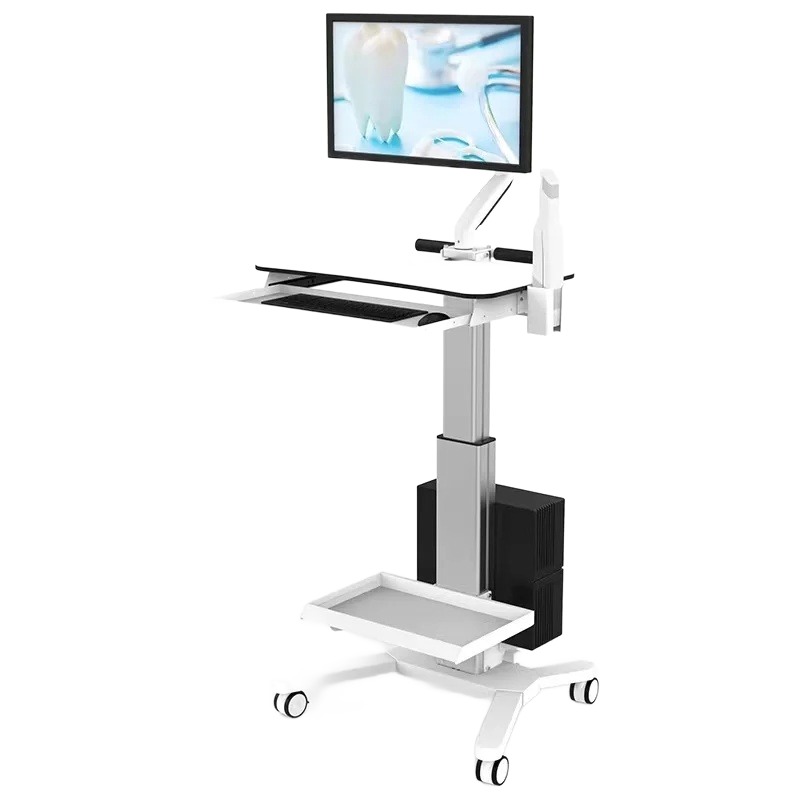
This modern digital dentistry cart serves as a highly efficient cad/cam mobile workstation designed specifically for the fast-paced clinical environment.
It provides an organized, ultra-stable platform that streamlines your digital impression workflow by keeping all essential scanning hardware within arm’s reach.
Clinicians can effortlessly transport this rolling scanner stand between different treatment rooms to maximize clinic-wide technology utilization.
This versatile workstation is applied directly at the chairside during intraoral scanning, patient consultations, and digital treatment planning sessions.
Features
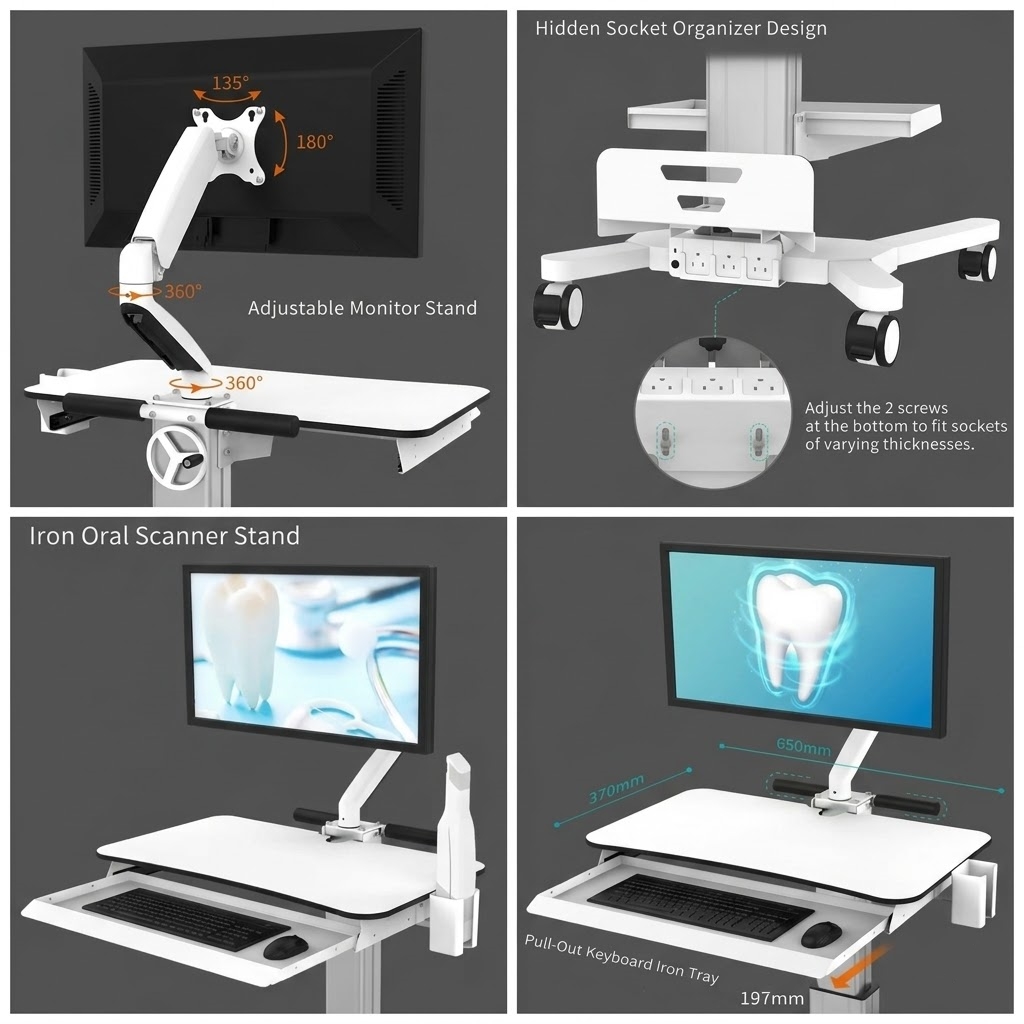
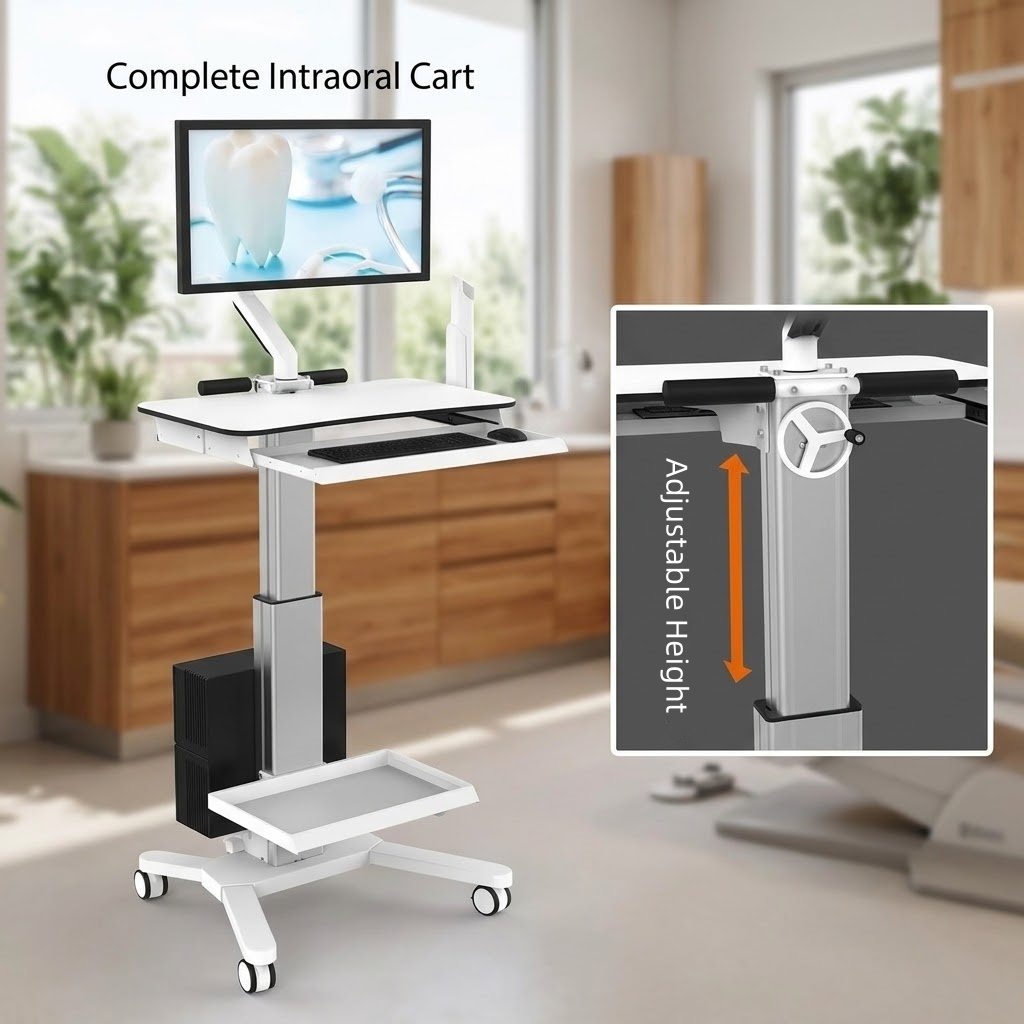
- Ergonomic Design: Features seamless sit-to-stand adjustment for ergonomic scanning comfort at any height.
- Clinical Hygiene: Smooth, seamless, medical-grade surfaces easily wipe down with harsh clinical disinfectants without yellowing or degrading.
- Decontamination Protection: A convenient pull-out keyboard tray keeps the keyboard protected from fluid splatters when not in use.
- Ultra-Stable Mobility: Built with a low center of gravity and heavy-duty, medical-grade locking casters for smooth transit.
- Clean Cable Management: All equipment cables are hidden inside the main central column to prevent tripping hazards.
- Heavy-Duty Capacity: Engineered with high-strength metal to securely hold heavy medical monitors and CPU towers.
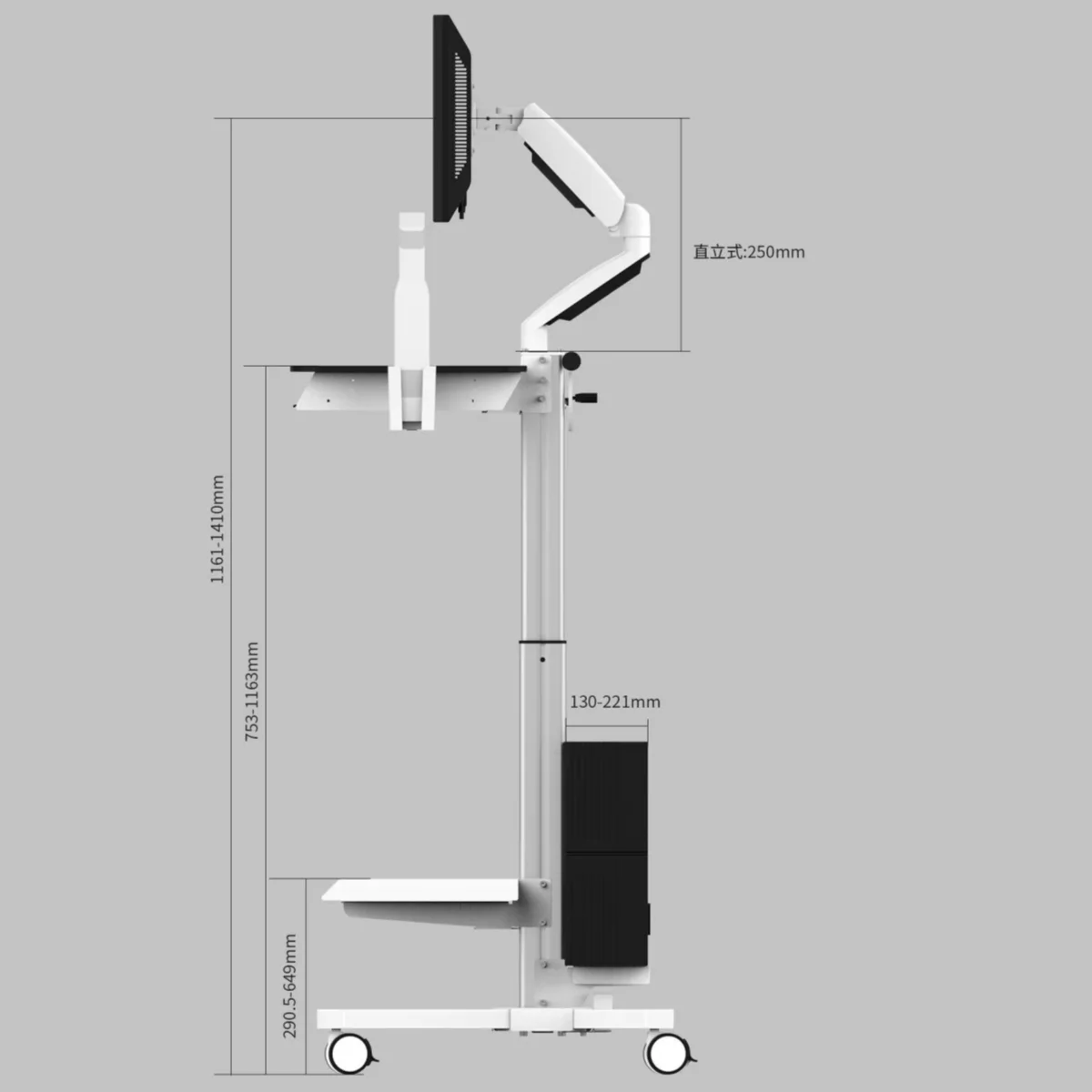
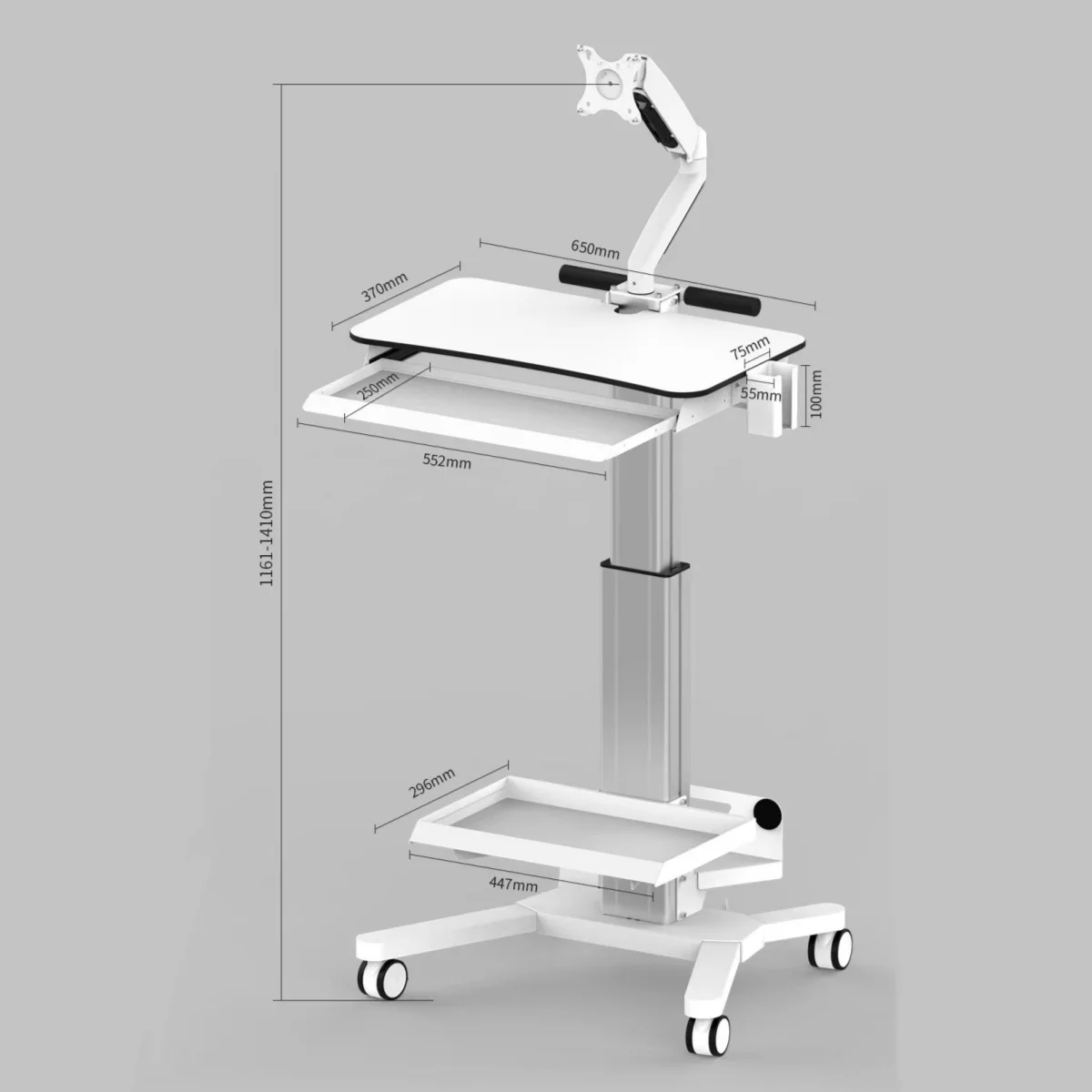
- Optimized Footprint: Designed with compact, space-saving dimensions that fit neatly next to any standard dental chair.
- Universal Compatibility: Open-platform mount fits premium scanners from major brands like 3Shape, Primescan, and Medit.
Parameters
| Premium Materials | High‑grade Steel (Base, Trays) & Anodized Aluminum (Column) |
| Hygiene Surface | Chemical‑resistant Laminated Table‑top |
| Scanner Compatibility | Universal open‑system platform (3Shape, Primescan, etc.) |
| Cable & Power Setup | Hidden, adjustable socket organizer for multi‑thickness power strips |
| Keyboard Tray | Pull‑out tray with dual ergonomic stabilizer handles |
| Main Worktop Area | Spacious 650 mm × 370 mm workspace |
| Tray Extension | 197 mm glide‑out distance |
| Monitor Mount | Standard VESA hole patterns (75 × 75 mm and 100 × 100 mm) |
| Mobility & Safety | 4 medical‑grade, 360‑degree lockable castors |
| Shipping Dimensions | Compact 78x93x33cm carton |
| Shipping Weight | 40 kg |
Assembly Guide
When your new digital intraoral cart arrives at your dental office, the assembly and setup process is designed to be quick and straightforward. Follow these simple steps to get your workstation ready for clinical use:
1. Monitor Assembly
- Attach the Monitor First: Begin the setup by mounting and securing the monitor onto the articulated arm of the cart.
- Gravity-Assisted Adjustment: The monitor arm features a gravity-balanced mechanism, allowing you to smoothly adjust the monitor’s height and tilt, swivel it across viewing angles, and have it hover securely in your desired fixed position.
2. Workstation Adjustments & Features
- Height Adjustment: Use the convenient manual crank wheel to adjust the overall working height of the desktop surface for optimal ergonomics.
- Keyboard & Accessories Tray: Utilize the pull-out sliding tray for your keyboard and mouse setup.
- Equipment Placement: The lower base structure includes designated shelving to secure your computer tower and scanner accessories safely.
- Mobility: Built-in heavy-duty caster wheels allow for smooth mobility and easy repositioning around the dental operatory.
Reviews
There are no reviews yet.